Sample Sidebar Module

This is a sample module published to the sidebar_top position, using the -sidebar module class suffix. There is also a sidebar_bottom position below the menu.

Sample Sidebar Module

This is a sample module published to the sidebar_bottom position, using the -sidebar module class suffix. There is also a sidebar_top position below the search.

Căutare în site

Cultură și Turism

  Rețeaua instituțiilor de cultură este constituită din: 54 case și cămine culturale, 58 biblioteci publice, 6 școli de artă plastică și muzică, 2 muzee, activează 98 colective artistice, 4 centre de meșteșuguri populare,1 studiou muzical. Numărul total de monumente – 413, inclusiv: 194 de importanță natională, 219 de importanță locală.

-  Măsuri culturale 2020                                 -  Resursele turistice antropice
-  Regulament                                                -  Resurse turistice naturale
-  Meșteșuguri                                                -  Servicii turistice
- Agendă evenimente                                      - Turism religios 
- Activități culturale 2019        


  • 01Download the installation package from our download section.
  • 02Once the download is complete go to the backend of Joomla.
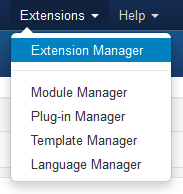
  • 03Navigate through your menu system to Extensions/Extensions Manager.
  • 04Once at the installation screen click the browse button and navigate to where you downloaded the template file.
  • 05Once you have the file selected click 'Upload File and Install'
  • The template is now installed, now let's set it as the default template:

  • 06Navigate through your menu system to Extensions/Template Manager.
  • 07Find the radio button next to the newly installed template.
  • 08Click on the Default button at the top right of the screen and you're done!
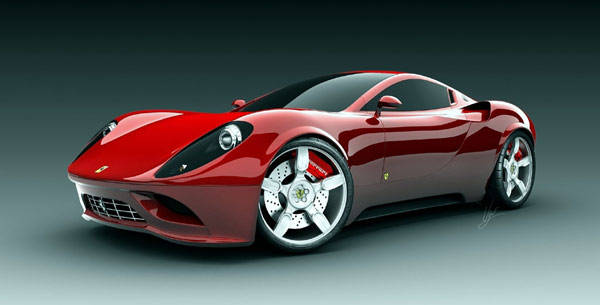
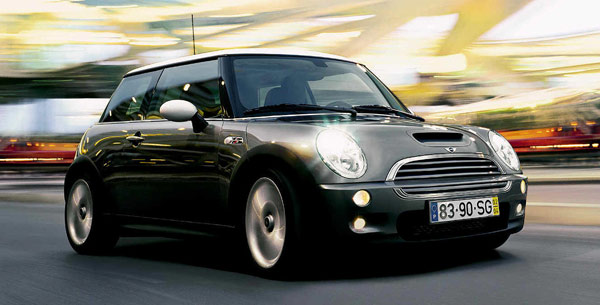
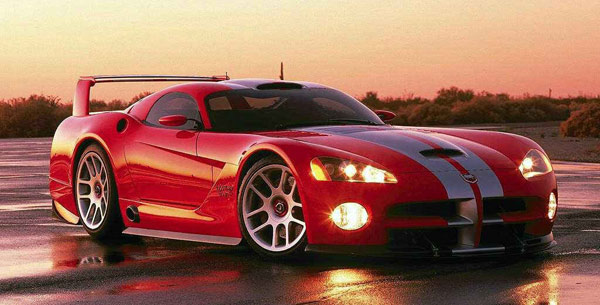
The info slide script is a great way to display your content to your customers! It will place a sliding text box over any image on the page. It can be placed inside of content or modules. It will also automatically adjust to any size screen size on window resize. See below for a demonstration. In the backend of Vertex you can pick between a javascript only version or a pure css version.

Javascript Version


Example Slide

This is dummy text. You can add any text or html markup here.

Example Slide

This is dummy text. You can add any text or html markup here.


CSS Version Default


Example Slide

This is dummy text. You can add any text or html markup here.

Example Slide

This is dummy text. You can add any text or html markup here.


CSS Version 1


Example Slide

This is dummy text. You can add any text or html markup here.

Example Slide

This is dummy text. You can add any text or html markup here.


CSS Version 2


Example Slide

This is dummy text. You can add any text or html markup here.

Example Slide

This is dummy text. You can add any text or html markup here.


CSS Version 3


Example Slide

This is dummy text. You can add any text or html markup here.

Example Slide

This is dummy text. You can add any text or html markup here.


CSS Version 4


Example Slide

This is dummy text. You can add any text or html markup here.

Example Slide

This is dummy text. You can add any text or html markup here.


CSS Version 5


Example Title

Example Title


CSS Version 6


Example Title

Example Title


CSS Version 7


image

Example Slide

You can add any text or html markup here.
image

Example Slide

You can add any text or html markup here.


CSS Version 8


Example Slide

You can add any text or html markup here.

Example Slide

You can add any text or html markup here.


CSS Version 9


Example Slide

You can add any text or html markup here.

Example Slide

You can add any text or html markup here.


CSS Version 10


+

Example Slide

You can add any text or html markup here.
+

Example Slide

You can add any text or html markup here.


I like what I see! I want to JOIN TODAY.

1. Search Setup
  • Simply publish a search module to the custom_2 position.

2. Column Menu Setup
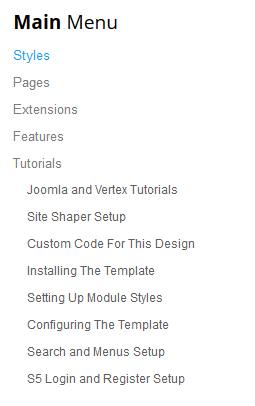
  • Publish any menu module to the main body module positions on your site.
  • There should be no menu style suffixes applied under advanced parameters.
  • The menu style should be set to list.

3. Bottom Menu Setup
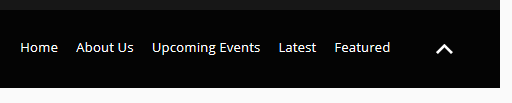
  • Publish any menu to the 'bottom_menu' position.
  • There are no menu style suffixes applied under advanced parameters.
  • The menu style should be set to list
Instituții preșcolare - 55
Școli primaree-grădiniță -  5
Școli primare - 8
Licee - 5
Gimnazii - 28
Școli de sport - 2

Indicatori economici, raionul Soroca, 2018

104,3 
Suprafața raionului (mii, ha)
100078
Locuitori
3637
Agenți Economici
3953,50
Salariul mediu pe raion (lei)

Bugetul Raionului Soroca -  anul 2020 Aprobat prin decizia Consiliului Raional Soroca nr.4/19 din 12 decembrie 2019
HARTA SERVICIILOR SOCIALE DIN RAIONUL SOROCA
Produs elaborat de People in Need din Cehia, în cadrul proiectului „Dezvoltarea serviciilor sociale în Moldova 2017-2019” .
REGULAMENTUL
privind modul de utilizare a mărcii turistice din raionul Soroca.